MetaMiner for SAP BusinessObjects
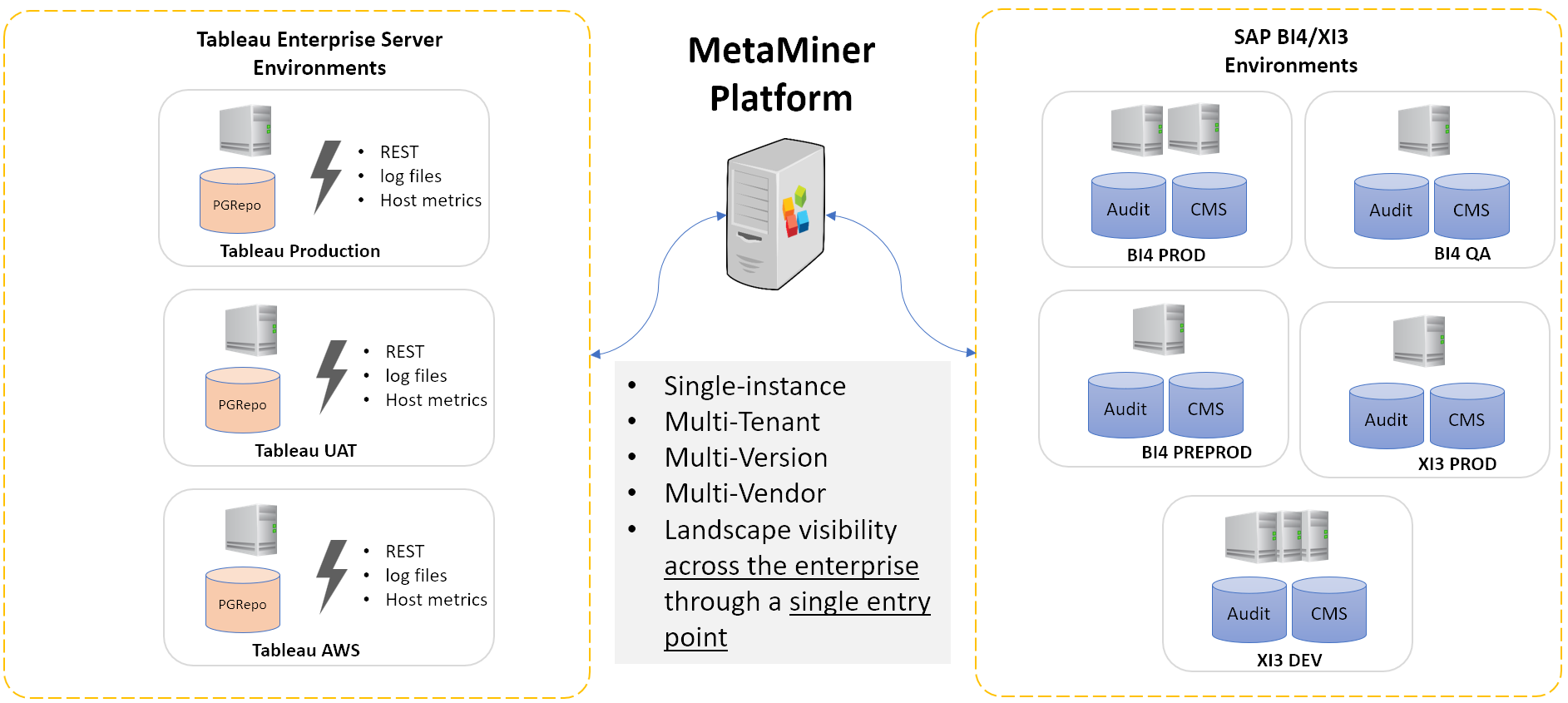
MetaMiner collects the metadata of your SAP BusinessObjects (BO) environments into one database so you can explore, analyze, change and promote BI content from one place.
What MetaMiner does
The MetaMiner Server (MMS) logs on to each BusinessObjects Central Management Server (CMS) with a service account and pulls users, groups, folders, documents, universes, connections, security rights, servers and (optionally) audit history into the MetaMiner Database (MMDB). It repeats the pull every few minutes and only reads what changed since the last cycle.
Administrators and power users then work with that metadata in the MetaMiner Client (MMC) and the browser-based Web Console: search the CMS, trace impact from a database table to the reports that use it, compare security, remap universes and connections, back up and promote content, and validate reports after an upgrade.
The MetaMiner Administrator (MMA) configures the server: which environments to pull, the database, the license and the server settings.
How the pieces connect
flowchart LR
  MMC[MetaMiner Client] -->|TCP 49714| MMS
  MMA[MetaMiner Administrator] -->|configuration| MMS
  WEB[Browser] -->|Web Console, TCP 49714| MMS
  MMS[MetaMiner Server] --> MMDB[(MetaMiner Database)]
  MMS -->|BO SDK| CMS[BO CMS]
  MMS -->|RESTful Web Service| REST[BO web tier]
  MMS -.->|read-only, optional| ADB[(Audit DB)]
  MMS -.->|read-only, optional| CDB[(CMS DB)]
One MetaMiner Server can pull several BusinessObjects environments of different versions at the same time.
Start here
-
Check the requirements, run the installer and choose the MetaMiner Database.
-
Add a CMS in the MetaMiner Administrator and run the first pull.
-
Connect the MetaMiner Client and browse the CMS Explorer, users, servers and impact.
-
Insights dashboards, server configuration and directory tools in the browser.
-
Audit, Web Intelligence, Crystal, universe and server reports on the MetaMiner Database.
-
Service accounts, MetaMiner users and roles, SSL and hardening.
-
Connection, pull, memory and upgrade problems, log files and support.
-
From installer to a populated CMS Explorer in one sitting.